> For the complete documentation index, see [llms.txt](https://uxper.gitbook.io/civi-job-board-wordpress-theme/llms.txt). Markdown versions of documentation pages are available by appending `.md` to page URLs; this page is available as [Markdown](https://uxper.gitbook.io/civi-job-board-wordpress-theme/how-to-enable-disable-the-function-download-cvs-candidate.md).
# How to enable/Disable the function download cv's Candidate
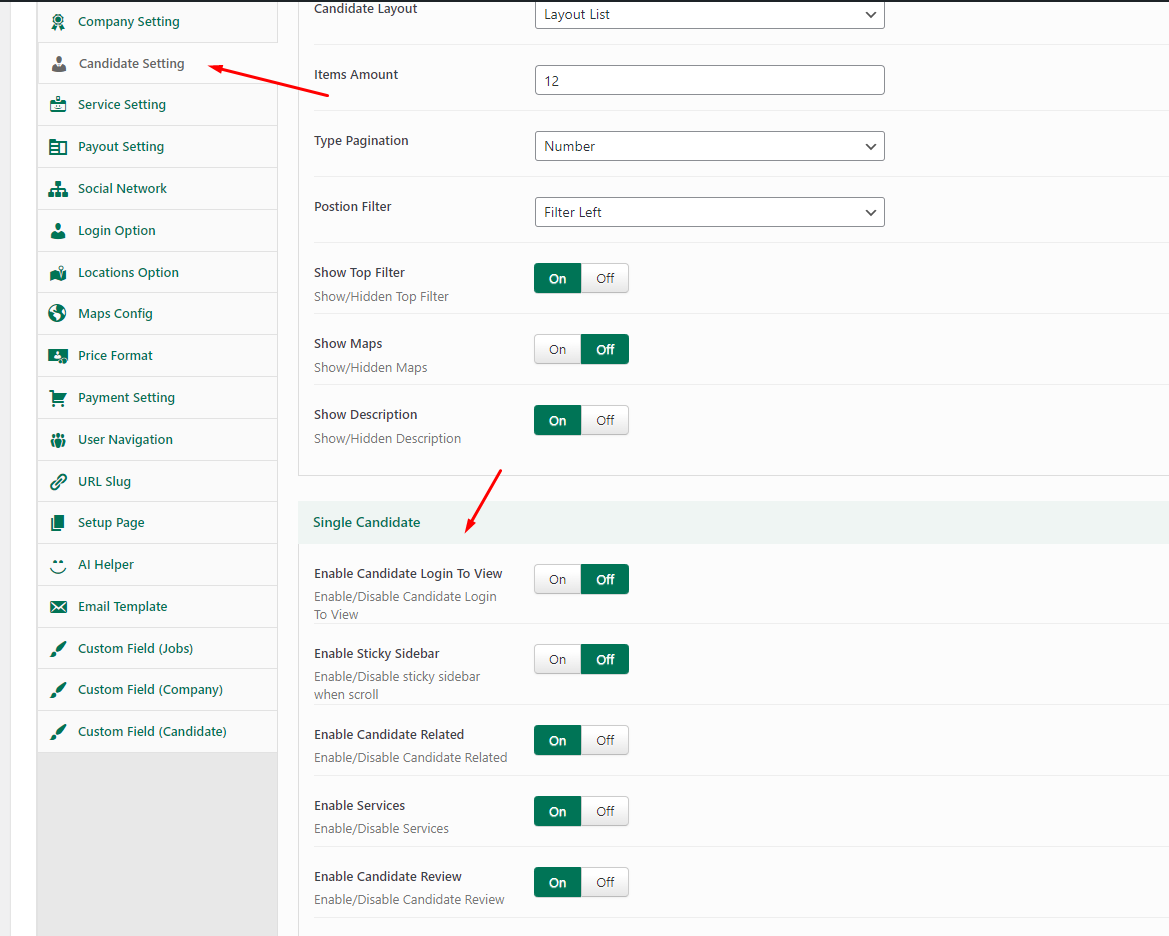
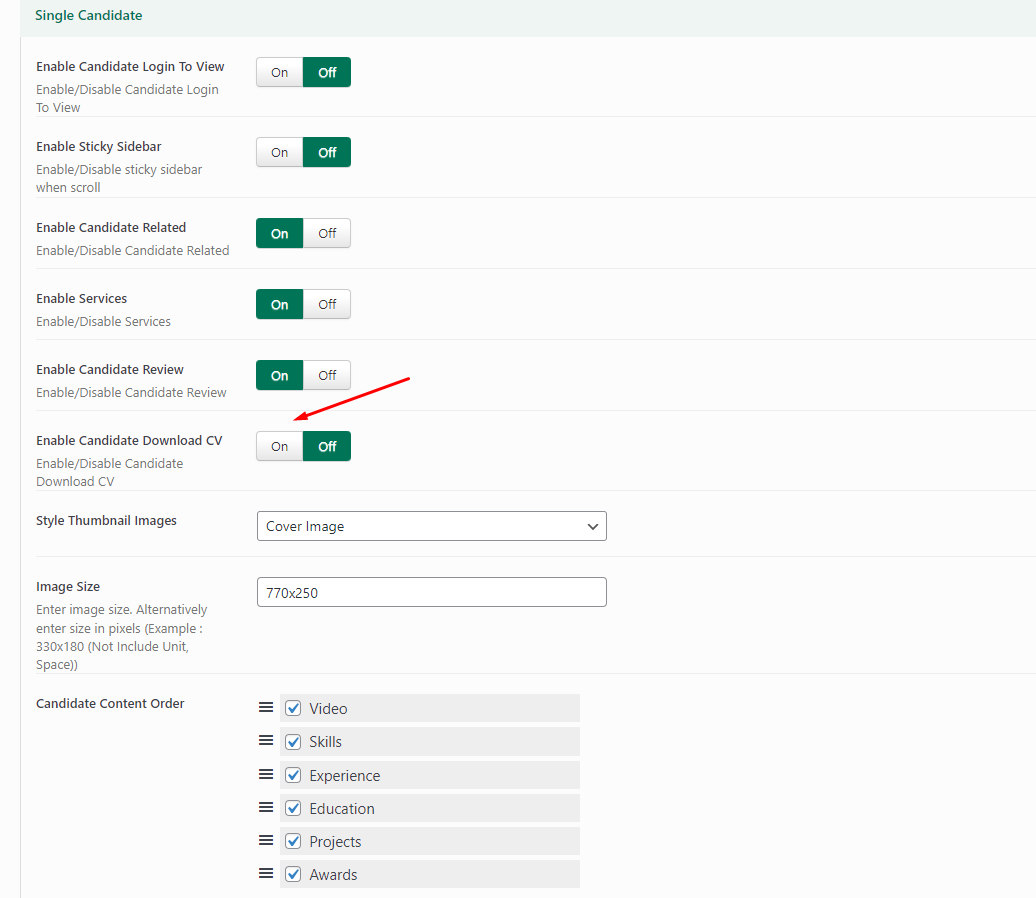
If you want to use the candidate's cv download function, please follow the steps below:
1. Go to **Theme Options -> Candidate Setting -> Single Candidate**
2. In the tab Single Candidate -> Find Option **Enable Candidate Download CV -> Select " On"**