> For the complete documentation index, see [llms.txt](https://uxper.gitbook.io/civi-job-board-wordpress-theme/llms.txt). Markdown versions of documentation pages are available by appending `.md` to page URLs; this page is available as [Markdown](https://uxper.gitbook.io/civi-job-board-wordpress-theme/faqs/how-to-set-up-social-login-google-facebook-linkedin...-on-the-civi-theme.md).
# How to Set Up Social Login (Google, Facebook, LinkedIn...) on the Civi Theme
The Civi theme is compatible with any social login plugin available on the market. However, for the best compatibility and ease of setup, we recommend using: Social Login, Social Sharing by miniOrange
{% hint style="info" %}
Starting from version 2.1.6.3, Civi has updated the way it integrates with the social login feature.
{% endhint %}
## 1. Install the Plugin
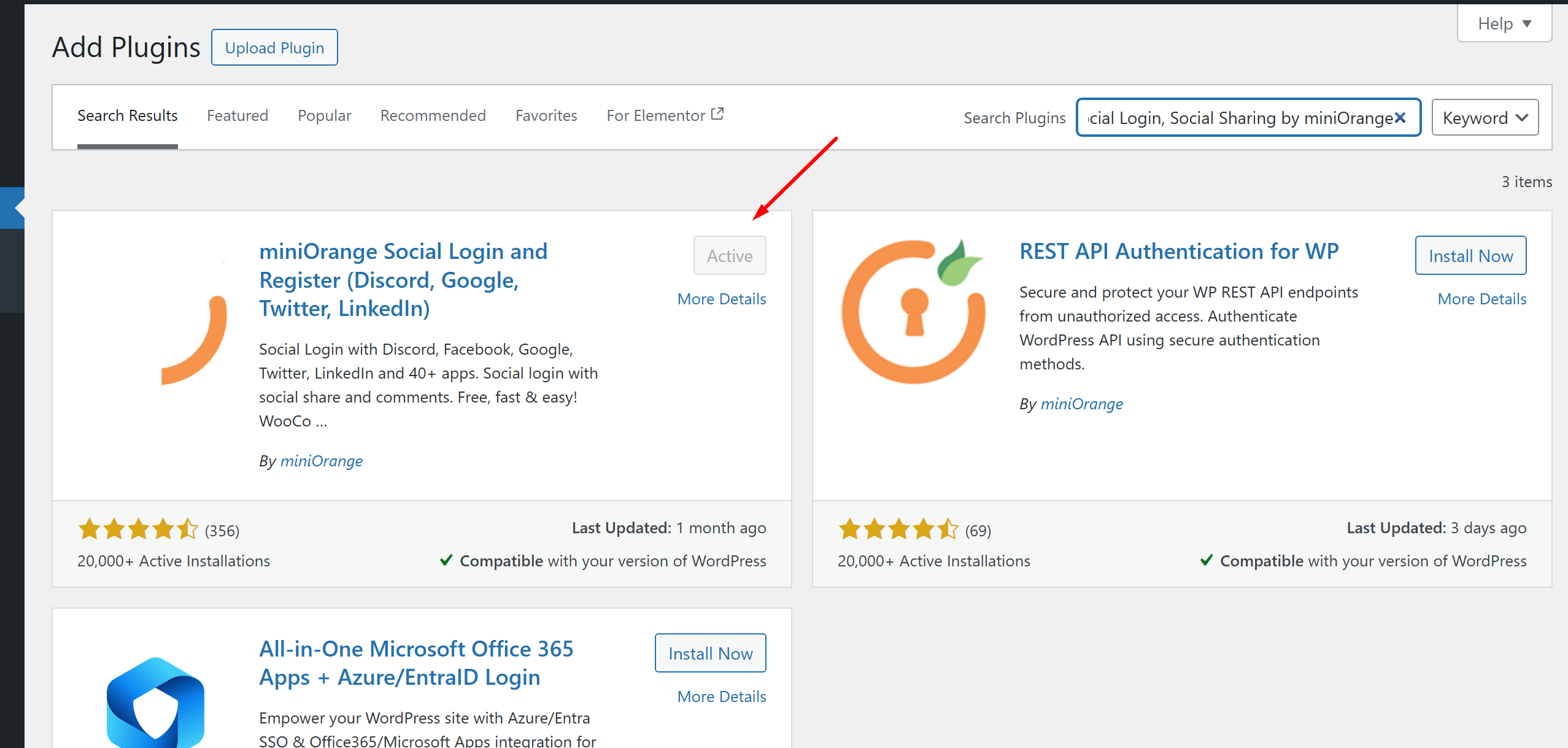
Go to **Admin Dashboard → Plugins → Add New**
* Search for: `Social Login, Social Sharing by miniOrange`
* Click **Install Now** → then **Activate**
## 2. Register a miniOrange Account
* After activation, the plugin will ask you to register or log in to a miniOrange account.
* Enter your email, password, and confirm registration.
* Once registered, you’ll be redirected to the configuration page.
Mini Orange on your admin menu.
3. **Configure Social Login Providers**
Click on "**Configure Apps**". You will see a list of supported providers: **Google, Facebook, LinkedIn, Twitter, etc.** Switch to the right which social as you want. Example: Google.
Select the social which you prefer.
Enter your **App Id** and **App Secret,** corresponding to the selected social. On the right side you can see a short intruction to get the App Id and App secret key also.
Fill in your App Id and App Secret Key.
{% embed url="" %}
How to Setup Google App in miniOrange Social Login plugin. created by MniniOrange.
{% endembed %}
4. **Display on the Frontend**
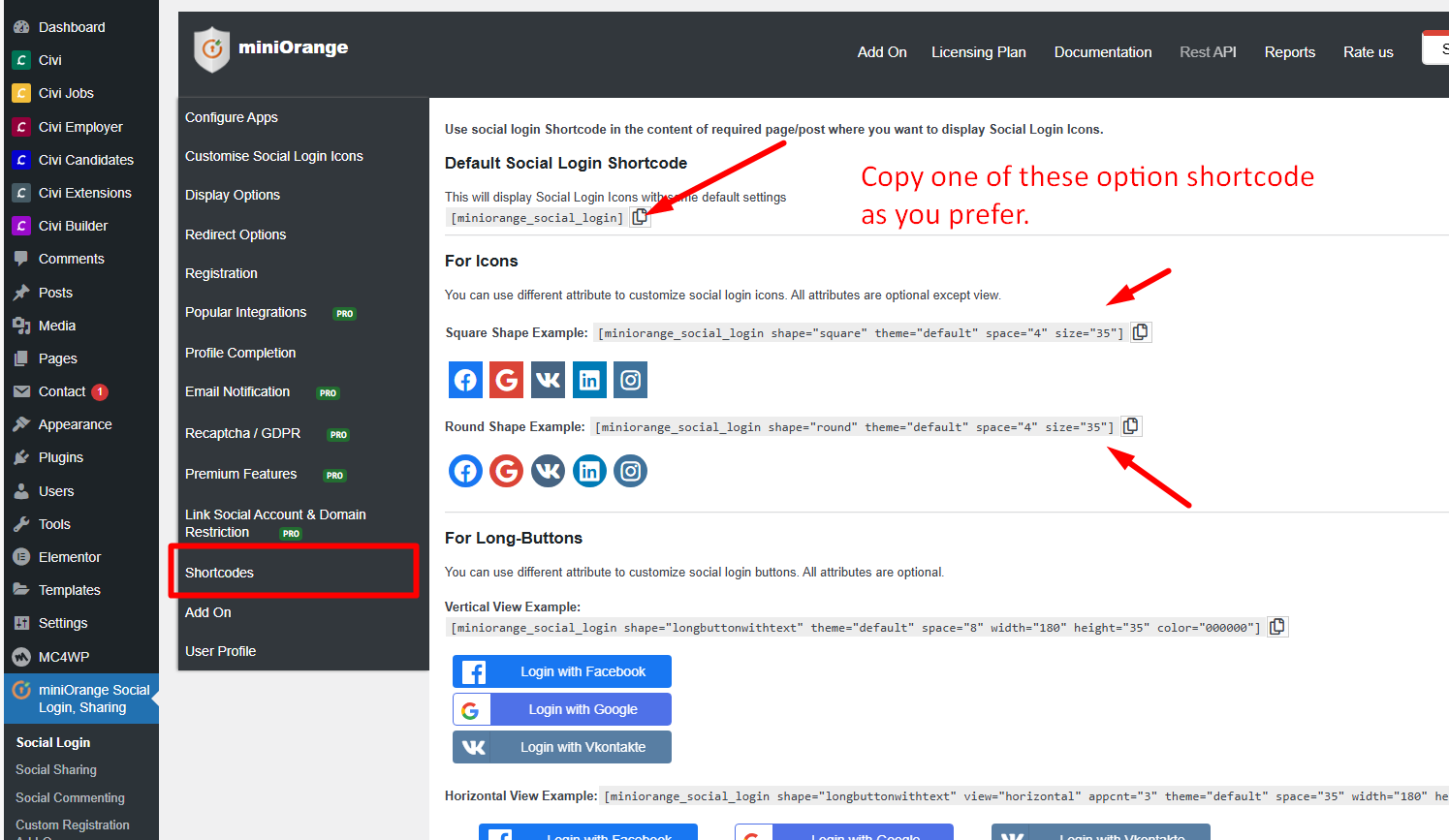
Copy the shortcode from **miniOrange** and paste it into Login field of Civi.
Copy the shortcode of miniOrange.
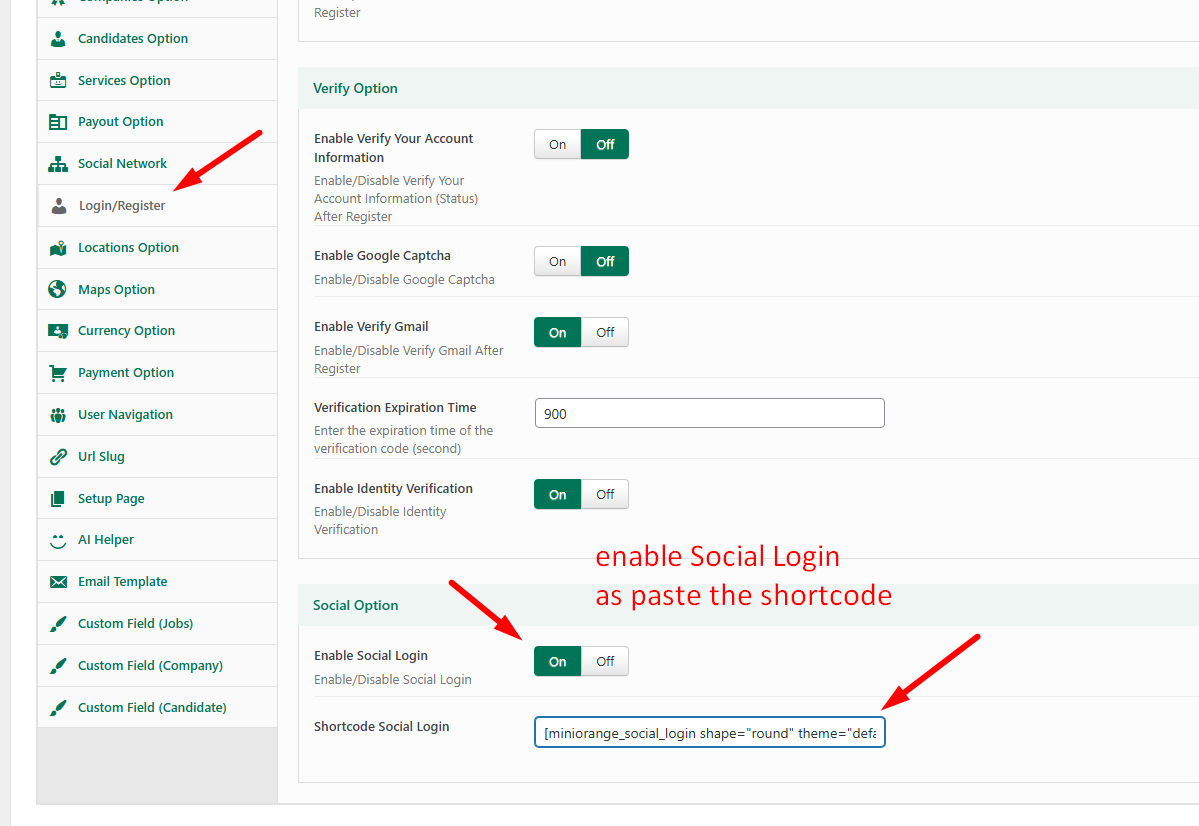
Go to **Theme Options** ⇒ **Login/Register** ⇒ **Social Option**. Then paste the shortcode of MiniOrange into the input field. Then "**Save**" it.
Paste the shortcode into Theme Options.
Checkout the result.
Social login in the Login pupup.
{% hint style="info" %}
Please make sure that you have entered the correct **App ID** and **Secret Key** provided by the corresponding social platform (e.g., Google, Facebook, LinkedIn). Incorrect credentials may cause the login to fail.
Hint: Click this button to quick check your Configuration.
{% endhint %}



 {% endhint %}